

This is the hub for MIND Research Institute’s brand guidelines, usages, and assets. MIND allows partners, members of the media and others to use these assets in circumstances noted below or in a separate agreement. Thank you for following the guidelines to ensure that MIND’s brand remains recognizable and consistent. Please direct any questions to info@mindresearch.org.
Teal
HEX: #6bb9ad
RGB: 107, 185, 173
CMYK: 58, 7, 36, 0
Uses: Accent Color, Buttons, Links, Icons, Background
Orange
HEX: #ff9933
RGB: 255, 153, 51
CMYK: 0, 48, 88, 0
Uses: Accent Color, Buttons, Icons, Background
Dark Gray
HEX: #4e525c
RGB: 78, 82, 92
CMYK: 69, 60, 48, 29
Uses: Headers, Icons, Background
Light Gray
HEX: #d5d5d5
RGB: 213, 213, 213
CMYK: 15, 12, 12, 0
Uses: Background
Black
HEX: #1d181f
RGB: 29, 24, 31
CMYK: 74, 72, 60, 76
Uses: Body Copy
Dark Gray
HEX: #4e525c
RGB: 78, 82, 92
CMYK: 69, 60, 48, 29
Uses: Background or Box with White Text
Accessibility Contrast Ratio is 7.8:1
Our primary typefaces are Freight Text and Freight Sans. If you have an Adobe Creative Cloud subscription, you have access to Typekit and these fonts already. If you don't have access to these fonts, you may use Noto Serif instead of Freight Text and Open Sans instead of Freight Sans.
Accessibility Guidance
Use at least 18 point font on all Google Slides.
All headings or slide titles need to be the same font, text size, and color.
All body text needs to be the same font, text size, and color.
Use black text on white background in the body to convey information.
Avoid orange, teal, and white color font to convey important information.
The MIND logo is the instantly recognizable symbol and focal point of our brand. Thank you for using the logo exactly as specified in these guidelines. MIND’s partners and members of the media may use these logos with attribution to mindresearch.org. Logos may not be altered, combined with other marks or used in a misleading manner.

Wordmark Clear Space
The spacing around the MIND logo should be no less than “X”, or one-third its own height. The logo should never be smaller (height) than 0.2 inches in print and 25 pixels in digital.

Logomark Clear Space
The hemispheres logomark should be used when the workmark would be illegible.
The spacing around the hemispheres logomark should be no less than “X”, or one-third its own height. The logo should never be smaller (height) than 0.375 inches in print and 40 pixels in digital.


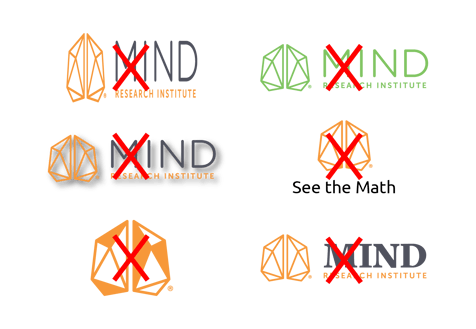
Please DO NOT...
Please direct any questions to info@mindresearch.org.
This logo kit contains all approved variations in multiple file formats. Please refer to the style guide above for proper use.

This is the hub for MIND Education’s brand guidelines, usages, and assets. MIND allows partners, members of the media and others to use these assets in circumstances noted below or in a separate agreement. Thank you for following the guidelines to ensure that MIND’s brand remains recognizable and consistent. Please direct any questions to info@mindeducation.org.
Teal
HEX: #6bb9ad
RGB: 107, 185, 173
CMYK: 58, 7, 36, 0
Uses: Accent Color, Buttons, Links, Icons, Background
Orange
HEX: #ff9933
RGB: 255, 153, 51
CMYK: 0, 48, 88, 0
Uses: Accent Color, Buttons, Icons, Background
Dark Gray
HEX: #4e525c
RGB: 78, 82, 92
CMYK: 69, 60, 48, 29
Uses: Headers, Icons, Background
Light Gray
HEX: #d5d5d5
RGB: 213, 213, 213
CMYK: 15, 12, 12, 0
Uses: Background
Black
HEX: #1d181f
RGB: 29, 24, 31
CMYK: 74, 72, 60, 76
Uses: Body Copy
Teal (Adjusted)
HEX: #50a091
RGB: 80, 160, 145
CMYK: 70, 18, 49, 1
Uses: Background or Box with White Text
Accessibility Contrast Ratio is 3.1:1
Dark Gray
HEX: #4e525c
RGB: 78, 82, 92
CMYK: 69, 60, 48, 29
Uses: Background or Box with White Text
Accessibility Contrast Ratio is 7.8:1
Our primary typefaces are Freight Text and Freight Sans. If you have an Adobe Creative Cloud subscription, you have access to Typekit and these fonts already. If you don't have access to these fonts, you may use Noto Serif instead of Freight Text and Open Sans instead of Freight Sans.
Accessibility Guidance
Use at least 18 point font on all Google Slides.
All headings or slide titles need to be the same font, text size, and color.
All body text needs to be the same font, text size, and color.
Use black text on white background in the body to convey information.
Avoid orange, teal, and white color font to convey important information.
The MIND logo is the instantly recognizable symbol and focal point of our brand. Thank you for using the logo exactly as specified in these guidelines. MIND’s partners and members of the media may use these logos with attribution to mindresearch.org. Logos may not be altered, combined with other marks or used in a misleading manner.

Wordmark Clear Space
The spacing around the MIND logo should be no less than “X”, or one-third its own height. The logo should never be smaller (height) than 0.2 inches in print and 25 pixels in digital.

Logomark Clear Space
The hemispheres logomark should be used when the workmark would be illegible.
The spacing around the hemispheres logomark should be no less than “X”, or one-third its own height. The logo should never be smaller (height) than 0.375 inches in print and 40 pixels in digital.


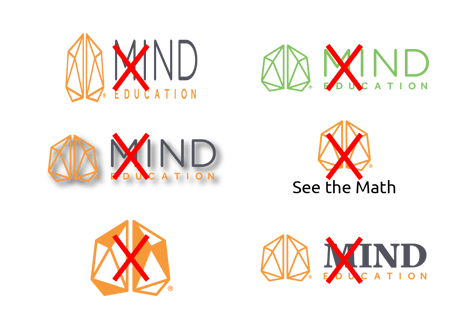
Please DO NOT...
Please direct any questions to info@mindeducation.org.
This logo kit contains all approved variations in multiple file formats. Please refer to the style guide above for proper use.

This is the hub for MIND University’s brand guidelines, usages, and assets. MIND allows partners, members of the media and others to use these assets in circumstances noted below or in a separate agreement. Thank you for following the guidelines to ensure that MIND’s brand remains recognizable and consistent. Please direct any questions to info@mindeducation.org.
Teal
HEX: #6bb9ad
RGB: 107, 185, 173
CMYK: 58, 7, 36, 0
Uses: Accent Color, Buttons, Links, Icons, Background
Orange
HEX: #ff9933
RGB: 255, 153, 51
CMYK: 0, 48, 88, 0
Uses: Accent Color, Buttons, Icons, Background
Dark Gray
HEX: #4e525c
RGB: 78, 82, 92
CMYK: 69, 60, 48, 29
Uses: Headers, Icons, Background
Light Gray
HEX: #d5d5d5
RGB: 213, 213, 213
CMYK: 15, 12, 12, 0
Uses: Background
Black
HEX: #1d181f
RGB: 29, 24, 31
CMYK: 74, 72, 60, 76
Uses: Body Copy
Teal (Adjusted)
HEX: #50a091
RGB: 80, 160, 145
CMYK: 70, 18, 49, 1
Uses: Background or Box with White Text
Accessibility Contrast Ratio is 3.1:1
Dark Gray
HEX: #4e525c
RGB: 78, 82, 92
CMYK: 69, 60, 48, 29
Uses: Background or Box with White Text
Accessibility Contrast Ratio is 7.8:1
Our primary typefaces are Freight Text and Freight Sans. If you have an Adobe Creative Cloud subscription, you have access to Typekit and these fonts already. If you don't have access to these fonts, you may use Noto Serif instead of Freight Text and Open Sans instead of Freight Sans.
Accessibility Guidance
Use at least 18 point font on all Google Slides.
All headings or slide titles need to be the same font, text size, and color.
All body text needs to be the same font, text size, and color.
Use black text on white background in the body to convey information.
Avoid orange, teal, and white color font to convey important information.
The MIND University logo is the instantly recognizable symbol and focal point of our brand. Thank you for using the logo exactly as specified in these guidelines. MIND’s partners and members of the media may use these logos with attribution to mindresearch.org. Logos may not be altered, combined with other marks or used in a misleading manner.

Wordmark Clear Space
The spacing around the MIND University logo should be no less than “X”, or one-third its own height. The logo should never be smaller (height) than 0.2 inches in print and 25 pixels in digital.
Logomark Clear Space
The spacing around the badge logomarks should be no less than “X”, or one-third its own height. The logo should never be smaller (height) than 0.375 inches in print and 40 pixels in digital.



Please DO NOT...
Please direct any questions to info@mindeducation.org.
This logo kit contains all approved variations in multiple file formats. Please refer to the style guide above for proper use.

This is the hub for ST Math's brand guidelines, usages, and assets. MIND allows partners, members of the media and others to use these assets in circumstances noted below or in a separate agreement. Thank you for following the guidelines to ensure that MIND’s brand remains recognizable and consistent. Please direct any questions to info@mindeducation.org.
Orange
HEX: #f8a344
RGB: 248, 164, 68
CMYK: 0, 41, 82, 0
PANTONE: 1375C
PANTONE: 130U
Uses: Accent Color, Buttons, Icons, Background
Blue
HEX: #1c9fe5
RGB: 28, 159, 229
CMYK: 72, 24, 0, 0
PANTONE: 299C
PANTONE: 2995U
Uses: Accent Color, Buttons, Links, Icons, Background
Green
HEX: #7dc85f
RGB: 125, 200, 95
CMYK: 54, 0, 83, 0
PANTONE: 360C
PANTONE: 375U
Uses: Icons, Background
Purple
HEX: #7669af
RGB: 118, 105, 175
CMYK: 60, 65, 0, 0
PANTONE: 7676C
PANTONE: 2685U
Uses: Icons, Background, Rarely Used
Dark Blue
HEX: #00638F
RGB: 0, 99, 143
CMYK: 95, 60, 22, 4
PANTONE: 7691C
PANTONE: 301U
Uses: Only used when needing a 5th color.
Text
HEX: #333d47
RGB: 51, 61, 71
CMYK: 78, 65, 52, 44
Uses: Body Copy
Charcoal
HEX: #2b2b2b
RGB: 43, 43, 43
CMYK: 70, 64, 64, 65
PANTONE: 447 C
PANTONE: 301U
Uses: Accent Color, Buttons, Background, Body Copy
Dark Gray
HEX: #4f5054
RGB: 79, 80, 84
CMYK: 66, 58, 53, 33
Uses: Header Text & Background
Light Gray
HEX: #f0f0f0
RGB: 242, 242, 242
CMYK: 4, 2, 2, 0
Uses: Background
Blue (Adjusted)
HEX: #309DD8
RGB: 48, 157, 216
CMYK: 72, 24, 0, 0
Uses: Background or Box with White Text
Accessibility Contrast Ratio is 3:1
Dark Gray
HEX: #4f5054
RGB: 79, 80, 84
CMYK: 66, 58, 53, 33
Uses: Background or Box with White Text
Accessibility Contrast Ratio is 8.1:1
Our primary typefaces are Effra and Montserrat. If you have an Adobe Creative Cloud subscription, you have access to Typekit and these fonts already. Montserrat is also available as a Google font. If you don't have access to these fonts, you may use Ubuntu instead of Effra and Open Sans instead of Montserrat.
Accessibility Guidance
Use at least 18 point font on all Google Slides.
All headings or slide titles need to be the same font, text size, and color.
All body text needs to be the same font, text size, and color.
Use black text on white background in the body to convey information.
Avoid orange, blue, and white color font to convey important information.
The ST Math logo is an instantly recognizable symbol and focal point of our brand. Thank you for using the logo exactly as specified in these guidelines. MIND’s partners and members of the media may use these logos with attribution to stmath.com. Logos may not be altered, combined with other marks or used in a misleading manner.
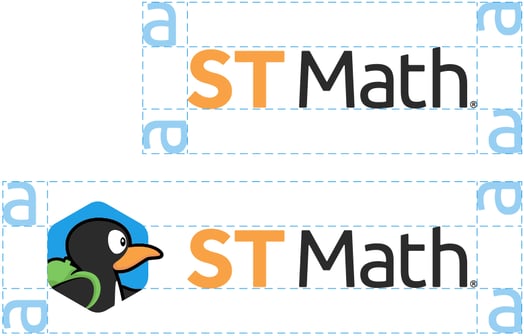
Wordmark Clear Space
The spacing around the ST Math logo should be no less than “a”. The logo should never be smaller (height) than 0.2 inches in print and 25 pixels in digital.

JiJi Clear Space
The length of JiJi’s beak can be used to visualize the spacing around the JiJi logo. The logo should never be smaller (height) than 0.75 inches in print and 60 pixels in digital.
The “JiJi” logo text is only shown when logo is NOT used with “ST Math” wordmark.
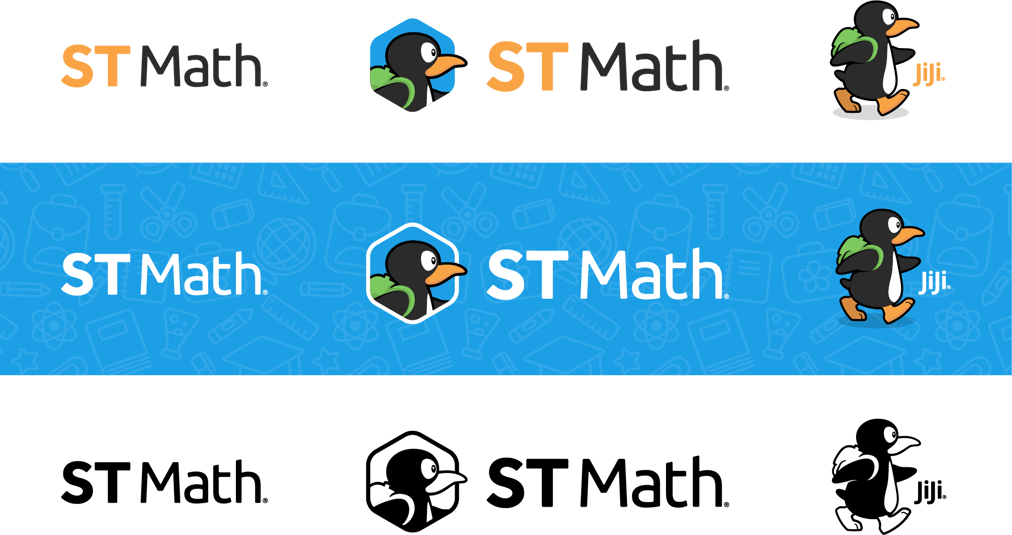
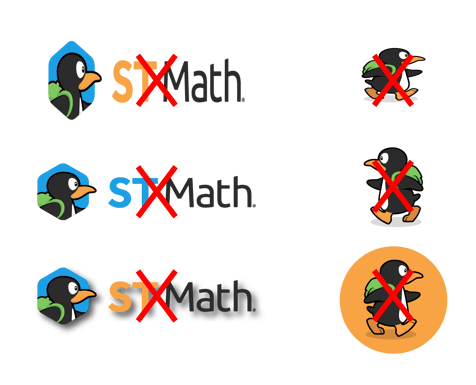
Please DO NOT...
Please direct any questions to jzafra@mindeducation.org.
This logo kit contains all approved variations in multiple file formats. Please refer to the style guide above for proper use.

This is the hub for InsightMath’s brand guidelines, usages, and assets. MIND allows partners, members of the media and others to use these assets in circumstances noted below or in a separate agreement. Thank you for following the guidelines to ensure that MIND’s brand remains recognizable and consistent. Please direct any questions to info@mindeducation.org.
Purple
HEX: #4d4084
RGB: 77, 64, 132
CMYK: 84, 87, 16, 4
PANTONE: 7672 C
Uses: Accent Color, Buttons, Icons, Background
Lavender
HEX: #9578d3
RGB: 149, 120, 211
CMYK: 47, 57, 0, 0
PANTONE: 2655 C
Uses: Accent Color, Buttons, Links, Icons, Background
Light Teal
HEX: #7adbd4
RGB: 122, 219, 212
CMYK: 47, 0, 22, 0
PANTONE: 7471 C
Uses: Icons, Background
Yellow
HEX: #fad403
RGB: 250, 212, 3
CMYK: 3, 13, 100, 0
PANTONE: 109 C
Uses: Icons, Background, Rarely Used
Charcoal
HEX: #2b2b2b
RGB: 43, 43, 43
CMYK: 70, 64, 64, 65
PANTONE: 447 C
PANTONE: 301U
Uses: Background, Body Copy
Light Gray
HEX: #f0f0f0
RGB: 242, 242, 242
CMYK: 4, 2, 2, 0
Uses: Background
Our primary typefaces are Effra and Montserrat. If you have an Adobe Creative Cloud subscription, you have access to Typekit and these fonts already. Montserrat is also available as a Google font. If you don't have access to these fonts, you may use Ubuntu instead of Effra and Open Sans instead of Montserrat.
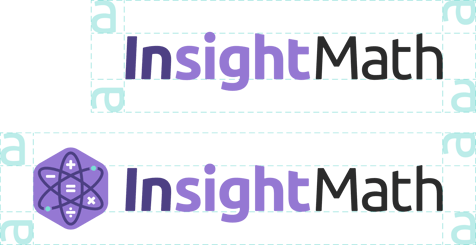
The InsightMath logo is an instantly recognizable symbol and focal point of our brand. Thank you for using the logo exactly as specified in these guidelines. MIND’s partners and members of the media may use these logos with attribution to stmath.com. Logos may not be altered, combined with other marks or used in a misleading manner.
Wordmark Clear Space
The spacing around the InsightMath logo should be no less than “a”. The logo should never be smaller (height) than 0.2 inches in print and 25 pixels in digital.



Please DO NOT...
Please direct any questions to info@mindeducation.org.
This logo kit contains all approved variations in multiple file formats. Please refer to the style guide above for proper use.


This is the hub for MathFluency+’s brand guidelines, usages, and assets. MIND allows partners, members of the media and others to use these assets in circumstances noted below or in a separate agreement. Thank you for following the guidelines to ensure that MIND’s brand remains recognizable and consistent. Please direct any questions to info@mindeducation.org.
Aqua
HEX: #0db5cf
RGB: 13, 181, 207
CMYK: 72, 5, 16, 0
PANTONE: 3115 C
Uses: Accent Color, Buttons, Icons, Background
Yellow
HEX: #f5eb0b
RGB: 245, 235, 11
CMYK: 7, 0, 98, 0
PANTONE: 3945 C
Uses: Accent Color, Buttons, Links, Icons, Background
Berry
HEX: #a81f5d
RGB: 168, 31, 93
CMYK: 30, 100, 42, 9
PANTONE: 220 C
Uses: Icons, Background
Dark Aqua
HEX: #038598
RGB: 3, 133, 152
CMYK: 85, 33, 34, 3
PANTONE: 7712 C
Uses: Icons, Background, Rarely Used
Dark Yellow
HEX: #d9cd25
RGB: 217, 205, 37
CMYK: 18, 11, 100, 0
PANTONE: 605 C
Uses: Icons, Background, Rarely Used
Charcoal
HEX: #2b2b2b
RGB: 43, 43, 43
CMYK: 70, 64, 64, 65
PANTONE: 447 C
PANTONE: 301U
Uses: Background, Body Copy
Light Gray
HEX: #f0f0f0
RGB: 242, 242, 242
CMYK: 4, 2, 2, 0
Uses: Background
Our primary typefaces are Effra and Montserrat. If you have an Adobe Creative Cloud subscription, you have access to Typekit and these fonts already. Montserrat is also available as a Google font. If you don't have access to these fonts, you may use Ubuntu instead of Effra and Open Sans instead of Montserrat.
The MathFluency+ logo is an instantly recognizable symbol and focal point of our brand. Thank you for using the logo exactly as specified in these guidelines. MIND’s partners and members of the media may use these logos with attribution to stmath.com. Logos may not be altered, combined with other marks or used in a misleading manner.

Wordmark Clear Space
The spacing around the MathFluency+ logo should be no less than “a”. The logo should never be smaller (height) than 0.2 inches in print and 25 pixels in digital.


Please DO NOT...
Please direct any questions to info@mindeducation.org.
This logo kit contains all approved variations in multiple file formats. Please refer to the style guide above for proper use.
Please direct any questions to info@mindresearch.org.
These logo kits contain all approved variations in multiple file formats. Please refer to the style guides in the other tabs for proper use.